
Question
Why do AXIS or other third-party cameras fail to connect to BVMS when using HTTPS?
Answer
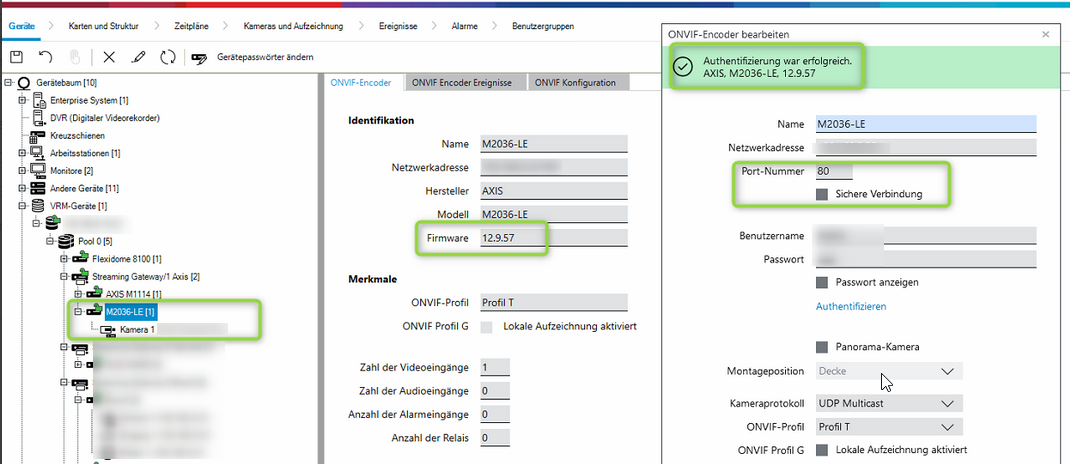
In most cases, an AXIS camera or other third-party cameras can be connected to BVMS without issues when using port 80 - HTTP communication (integration via BVMS VSG using ONVIF):
However, when attempting to connect these cameras using port 443 - HTTPS, the connection fails even if the required network ports are open.
This behavior is commonly related to missing or improperly configured security certificates on the cameras.
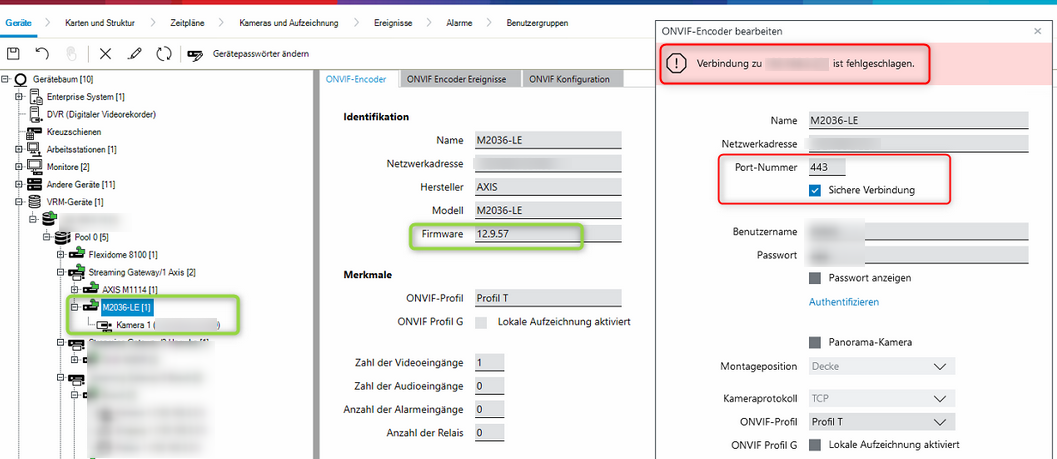
HTTPS communication requires a valid certificate to establish a secure connection between the camera and BVMS. If no certificate is present on the camera, BVMS will not be able to connect using HTTPS.
To resolve this issue, a certificate must be created on the Axis camera or on the other third-party cameras side, before attempting the HTTPS connection.
For example, for an AXIS camera:
1 - Generate a new local self-signed certificate.
2 - Change the camera's network configuration to use this new certificate, instead of the hardware ID certificate.
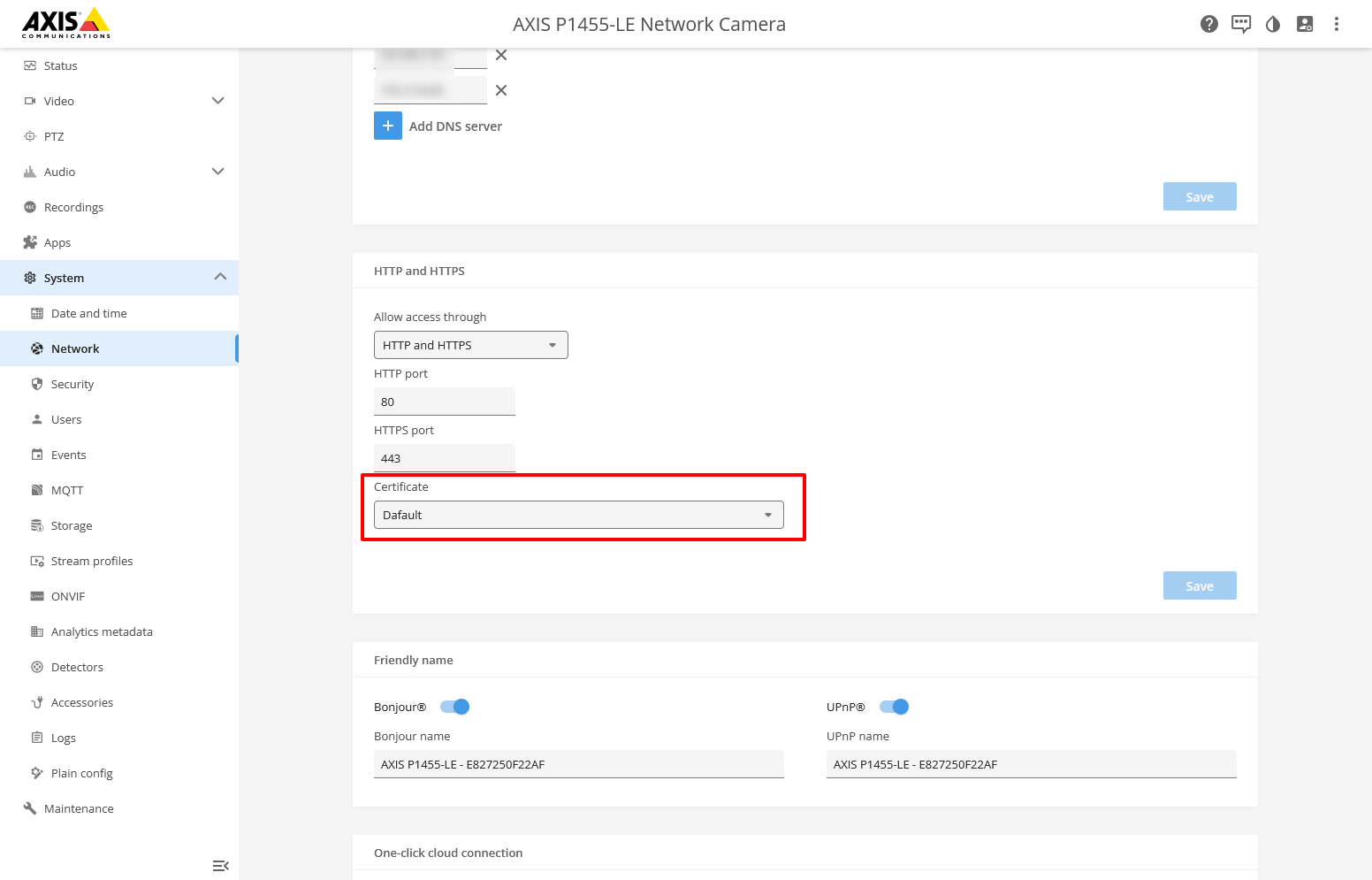
For more information on how to create and manage certificates, please refer to the official Axis documentation.