
Question
Why does the Alarm Pop-Up appear, but the Live Video does not display in BVMS ?
Answer
In Bosch Video Management System, you may encounter a situation where:
-
An alarm pop-up appears
-
The alarm sound is triggered
-
But the live video does not automatically display
This behavior is usually related to alarm priority settings in the BVMS configuration.
In BVMS, alarms are displayed based on their priority relative to the operator’s display priority.
Important rule in BVMS:
-
Lower numbers indicate higher priority
-
Higher numbers indicate lower priority
An alarm will automatically display in the alarm image pane only if its priority is equal to or higher than the operator/display priority.
Incorrect setup example:
-
Operator = 10
-
Alarm priority = 20
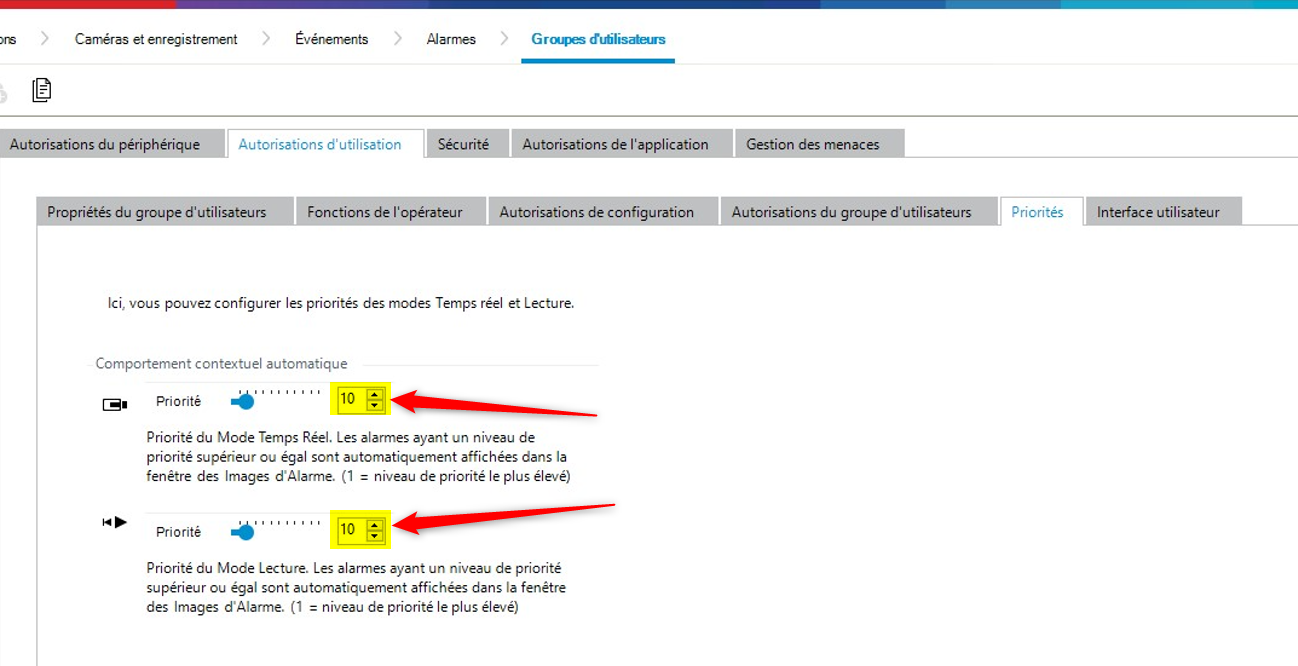
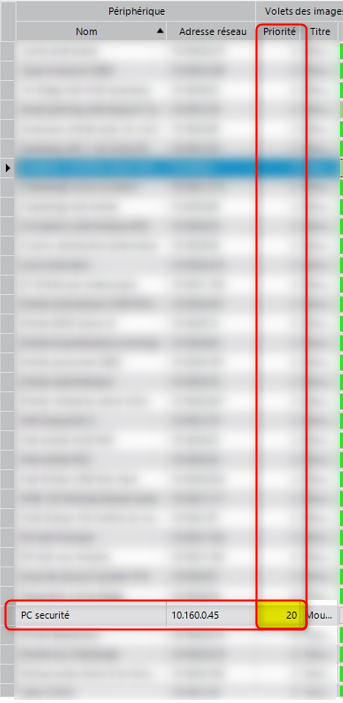
Because 20 is a lower priority than 10, BVMS does not automatically display the alarm video.
The operator may still receive:
-
Alarm sound
-
Alarm notification
but the live video will not open automatically.
To ensure alarms display the video:
-
Set the alarm priority equal to or higher than the operator/display priority
Example:
|
Operator Priority |
Alarm Priority |
Result |
|
10 |
1–10 |
Alarm video displays automatically |
|
10 |
11+ |
Video may not auto-display |

For detailed configuration instructions, refer to chapter 25.10 on page 315 of the BVMS configuration manual for more details on setting alarm priority.