
🕒 This procedure takes in average ~ 5 min to complete
Preparation:
-
The DIP-74 system supports power redundancy allowing the user to swap the power supply without shutting down the system. However, it is recommended to turn off the system power to avoid potential risks during maintenance.
-
Please ensure that power cables are unplugged before component exchange process.
Step-by-step guide
The DIP-74 system supports power redundancy allowing the user to swap the power supply without shutting down the system.
-
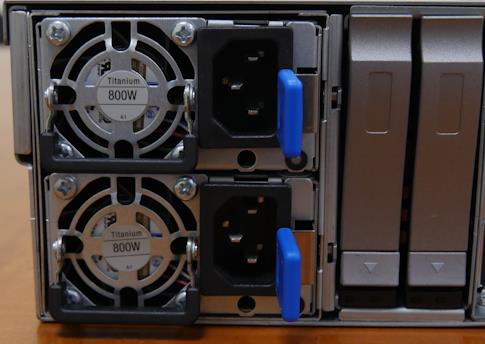
Please remove power cables if it’s still plugged in power supply module for easy maintenance of replacement process.
-
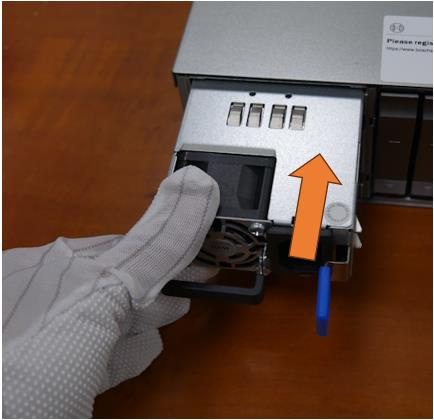
There is lever in the PSU used to pull out the unit from DIP-74 system.
-
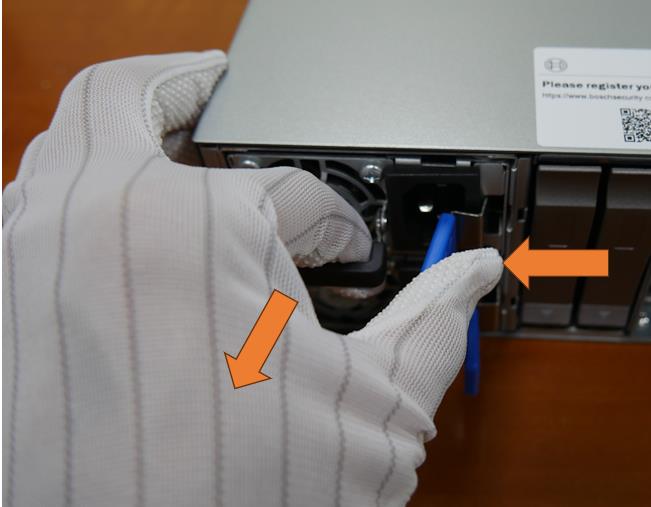
Move the lever up and press blue latch to release the PSU lock pin.
-
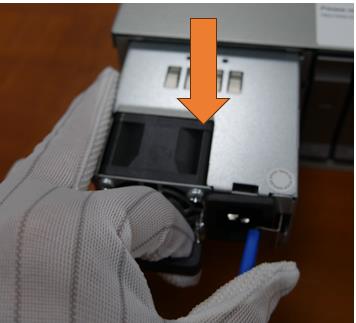
Pull the PSU out of system.
-
Insert the power supply module into the chassis then push it inwards until the power supply latch locks into place.
-
Plug in power cables and power on the system.
Once the replacement steps are completed, check that the power supply module was installed properly:
-
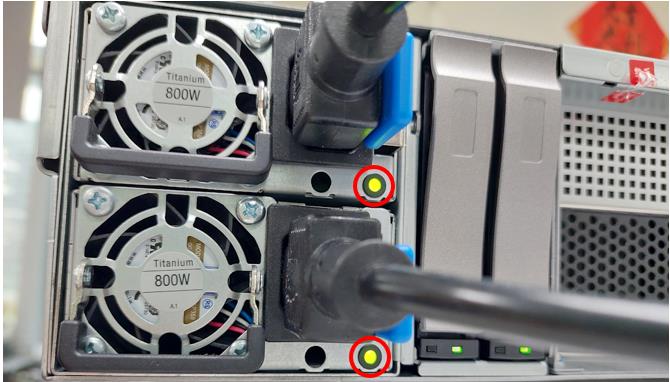
When power cables plugged into power supply module, the module’s build in LED will start blinking. Please help to check if the green LED is blinking.
-
Please press power button to power the system up and make sure system 6 DIVAR IP all-in-one 7000 working without problem. When system power up, the power supply module’s build-in LED will become solid green.

-
How to replace the SSD in the DIVAR IP all-in-one 7000 (gen4)?
-
How to replace the HDDs in the DIVAR IP all-in-one 7000 (gen4)?
-
How to rebuild RAID 5 after replacing a damaged HDD on the RAID 5 pool of the DIP AIO 7000 gen4?