
Possible causes and solution(s)
-
Does auto calibration work in this camera?
-
Yes, this function is available. It was improved over FW upgrades, so we would suggest using the latest FW versions.
-
Do I need a license for IVA Pro building?
-
This camera has IVA PRO Building preinstalled. So, you do not need to purchase additional ones.
-
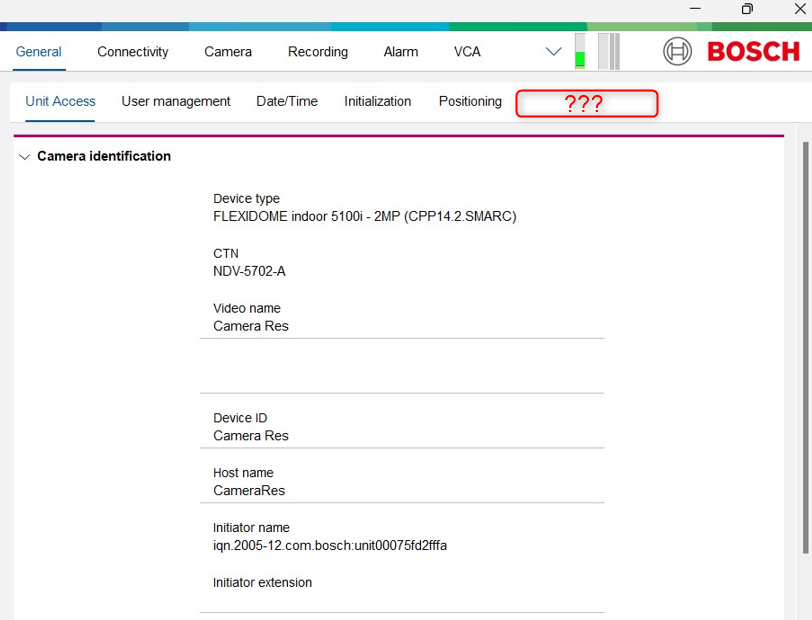
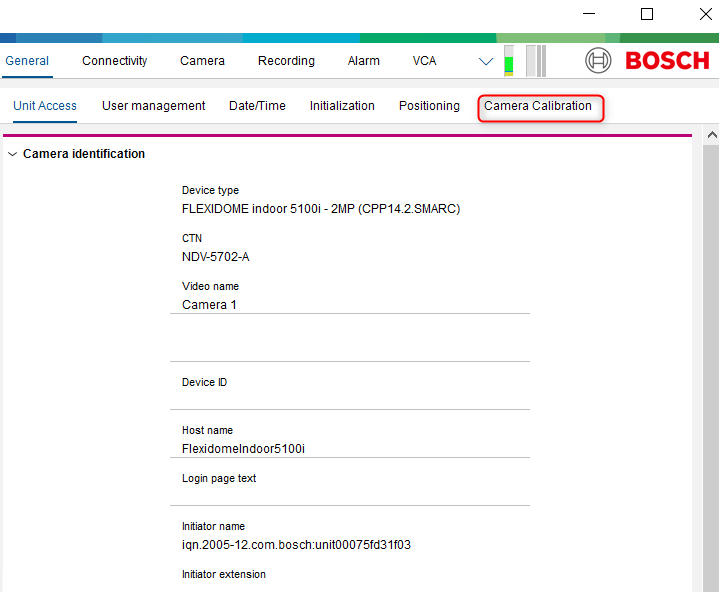
Camera Calibration is not visible in Configuration Manager for FLEXIDOME indoor 5100i camera (NDV-5702-A) - CPP14.2
-
If the Camera Calibration menu does not appear in Configuration Manager, please ensure you are using the latest version of Configuration Manager and the latest firmware for your camera.
Also, refer to the Requirements chapter of this article to confirm that your Configuration Manager version and camera firmware are compatible with IVA Pro and read also: Why is the Camera Calibration tab missing for CPP14 in Configuration Manager?
-
No VCA Alarms in BVMS Operator Client
-
If no alarms are received and no VCA activity is visible via Operator Client, try resetting all IVA settings to their default values on the camera > reboot all cameras to default settings and then add them back to BVMS. Finally, reconfigure them (we suggest reconfiguring VCA through Configuration Manager and not through Configuration Client).
Resetting the IVA settings may also help resolve other IVA-related issues you might encounter.
